This FAQ explains how to register an IPTV encoder on the Quickrooms dashboard by entering its basic details (name, IP address, and stream source) so the encoded TV channels can be managed and distributed to guest room TVs. To link the encoder to the hotel Dashboard, follow these easy steps;
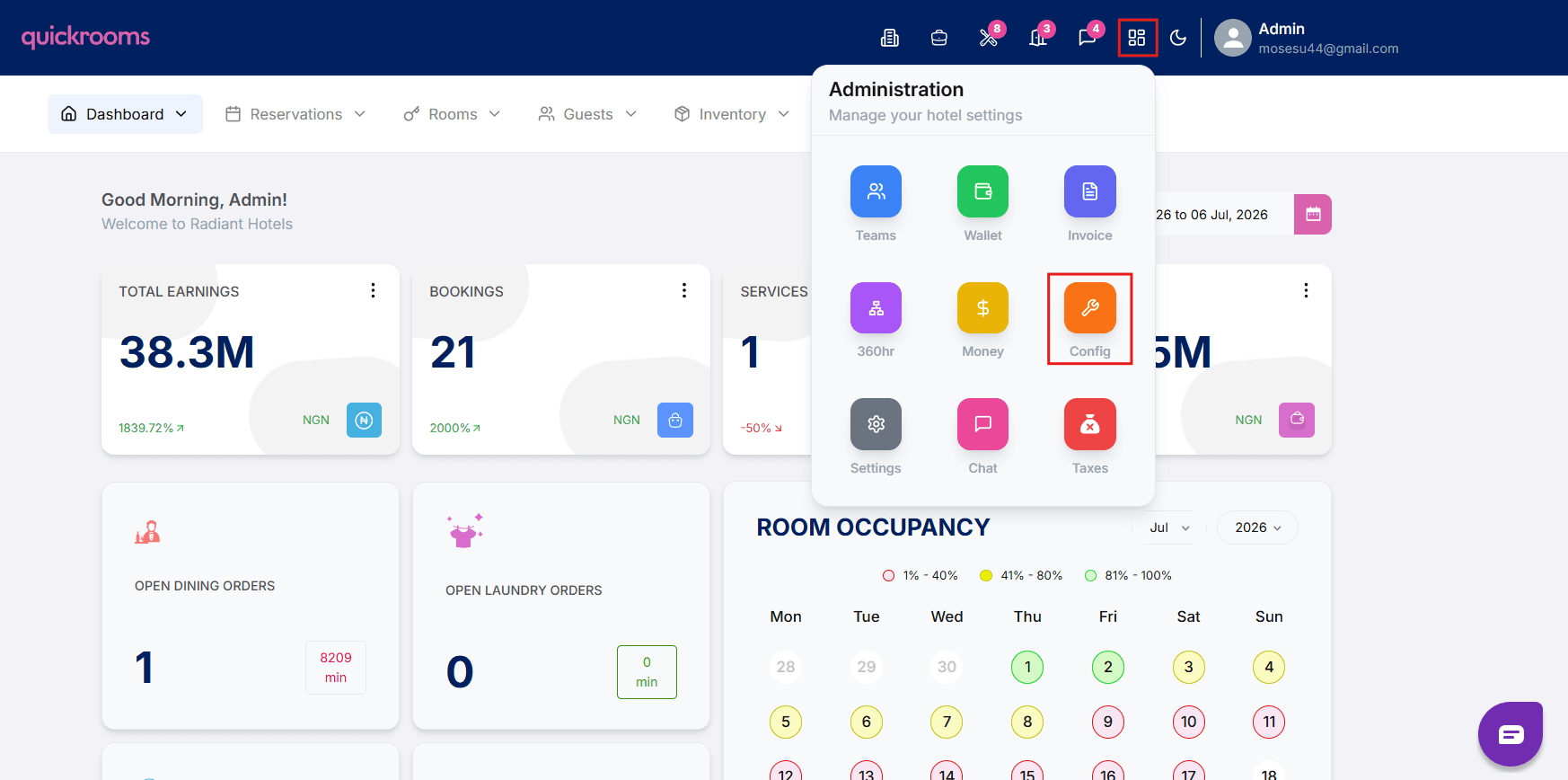
On the hotel dashboard, go to the config page
Navigate to the Integrations tab
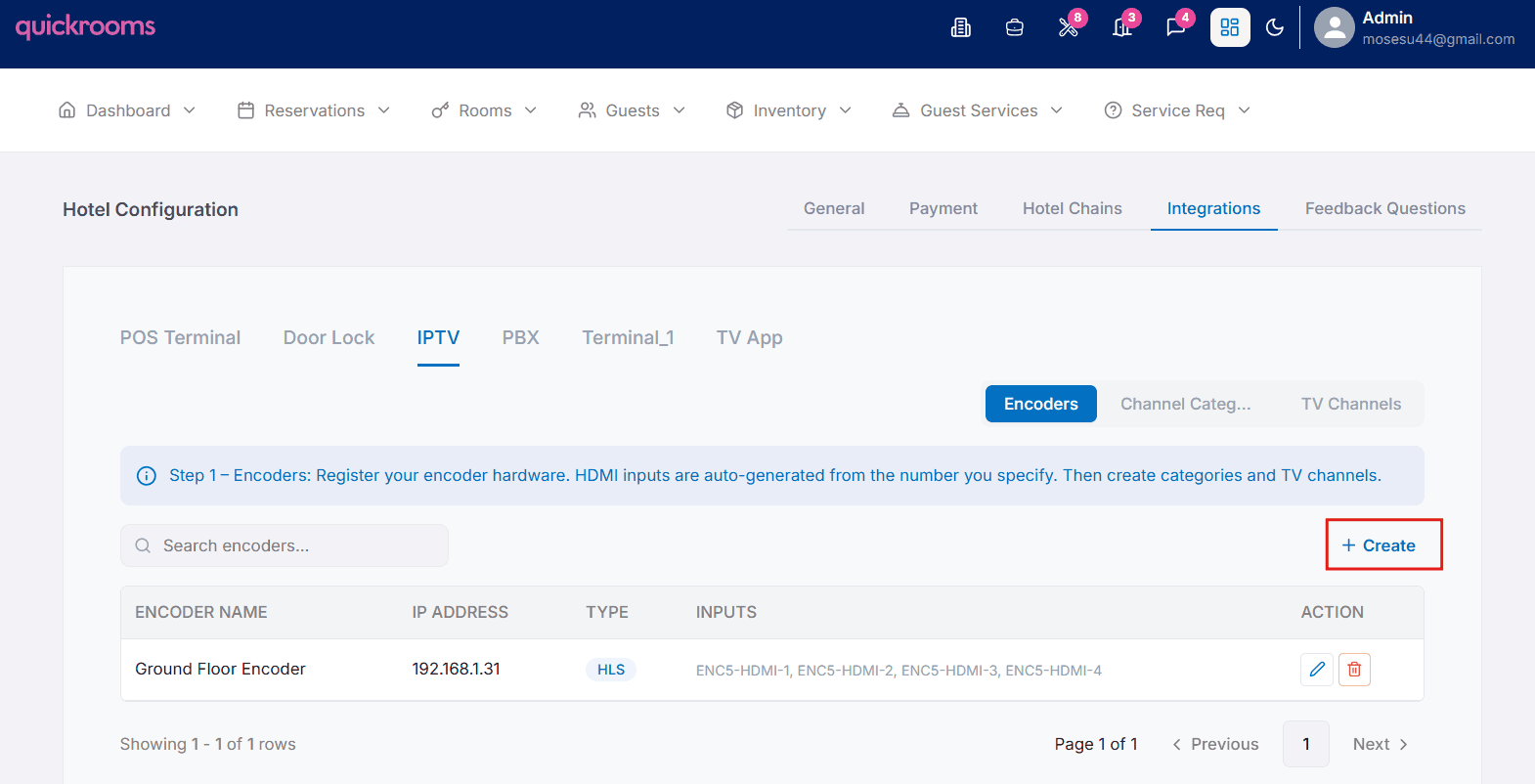
Click on IPTV and select encoder.
Click Create
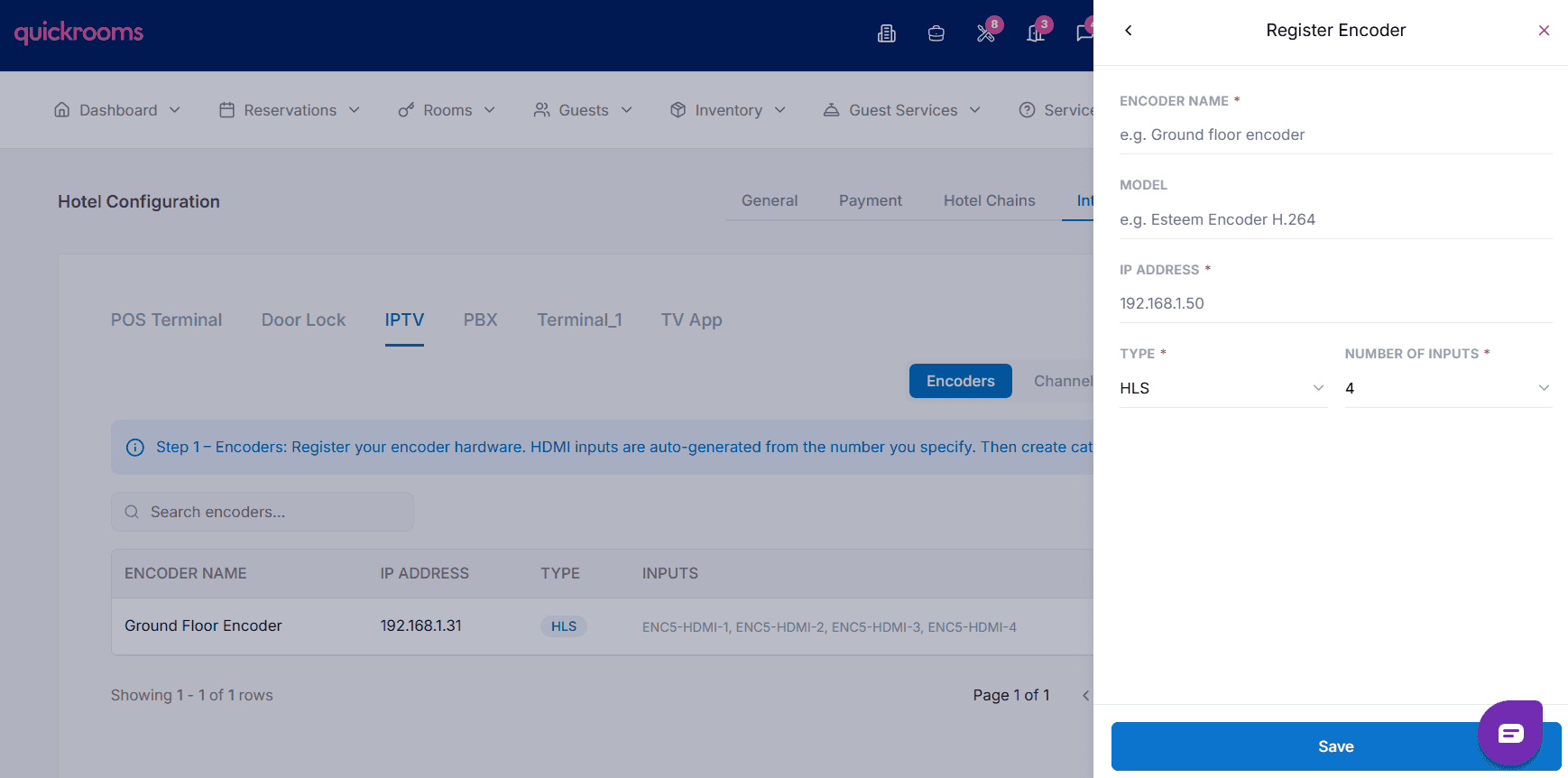
Enter the encoder name, model and ip address
Select the stream type e.g HLS and number of hdmi input ports