
quickroom-logo
Products
Solutions
Resources
Integrations
PricingLogin
Loading...
quickroom-logo🌐 English

contact

  • Blog
  • Support
  • Press Office

legal

  • Privacy Policy
  • Terms and Conditions
  • Cookies Policy

products

  • Hotel Operations
  • Guest Experience
  • Hotel Supply Chain
  • Quickrooms TV
  • ClockIQ
  • Partner Contract
  • Digital Chains
  • Integrations

careers

  • Join Us

Download For Guest

Download on the App Store

Download on the

App Store

Get it on Google Play

Download on the

Google Play

Download For Staff

Download on the App Store

Download on the

App Store

Get it on Google Play

Download on the

Google Play

legal

  • Privacy Policy
  • Terms and Conditions
  • Cookies Policy

careers

  • Join Us

contact

  • Blog
  • Support
  • Press Office

products

  • Hotel Operations
  • Guest Experience
  • Hotel Supply Chain
  • Quickrooms TV
  • ClockIQ
  • Partner Contract
  • Digital Chains
  • Integrations

Download for Guest

Download on the App Store

Download on the

App Store

Get it on Google Play

Download on the

Google Play

Download for Staff

Download on the App Store

Download on the

App Store

Get it on Google Play

Download on the

Google Play

Privacy PolicyStatusLegal
🍪 Cookie Settings
Copyright Quickrooms 2026
🌐 English
Privacy PolicyLegalStatus🍪 Cookie Settings
Copyright Quickrooms 2026

New in Quickrooms Staff App

Every clock-in, verified.

ClockIQ pairs a PIN with a face match at the door, so the person on the clock is always the person who showed up. No buddy punching, no guesswork on hours — just a record you can trust.

See how it works

2 steps

PIN + face, under 5 sec

14″ tablet

Mounted at the entrance

100%

Clock-ins photo-logged
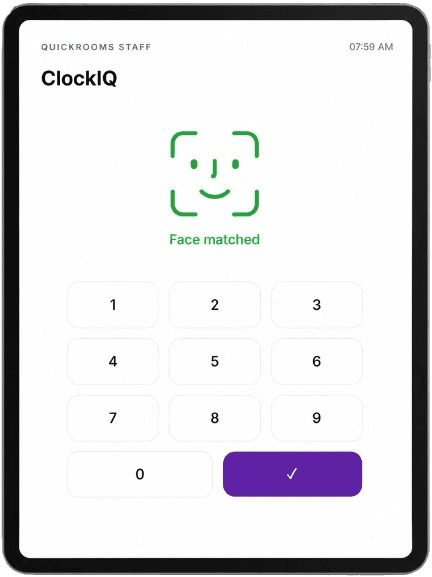
ClockIQ face-match and PIN entry screen on the entrance tablet

At the entrance

From doorway to logged shift, in four beats

ClockIQ runs on the tablet at the entrance — the same device for every staff member, every shift.

07:58 AM

Staff arrives

They walk up to the tablet mounted at the entrance and open the ClockIQ screen on the staff app.

07:59 AM

PIN entry

They enter their personal clock-in PIN — the first check that this is their shift to start.

07:59 AM

Face match

The tablet camera confirms the face at the door matches the PIN. If it doesn't match, the clock-in is blocked.

08:00 AM

Checked in

The record — time, PIN, and photo — lands on the manager dashboard instantly.

For managers

One dashboard, every shift accounted for

Managers see clock-in and clock-out records for the whole team, with the photo captured at each one — so it's always clear who actually showed up.

  • Photo on every record

    Confirms it's the right person, not just the right PIN.

  • Average clock-in

    Spot who's consistently early, late, or right on time.

  • Total hours worked

    Rolled up per staff member for any date range you choose.

Attendance — Front Desk

Last 7 days

Avg clock-in

08:02 AM

Avg work hours

8.4 h

Total hours

58.1 h

  • AO

    Amaka Okafor

    Front Desk

    07:58 AM Verified
  • TE

    Tunde Eze

    Housekeeping

    08:11 AM Verified
  • CB

    Chiamaka Bello

    Front Desk

    08:03 AM Verified
  • RM

    Rasheed Musa

    Security

    07:54 AM Verified

What's included

Built to remove doubt from attendance

PIN + face check-in

Two checks at the door instead of one. A shared PIN alone can't clock someone in without their face matching too.

Photo on every record

Each clock-in and clock-out saves the photo taken at the tablet, so no record is just a name and a timestamp.

Average clock-in

See each staff member's typical arrival time over any period you set, at a glance.

Total hours worked

Hours roll up automatically per staff member, ready for payroll without a manual timesheet.

One tablet, whole team

A single 14″ tablet at the entrance handles clock-ins for every staff member on every shift.

No buddy punching

Face matching means a staff member can't clock in a coworker who hasn't arrived yet.

Setup

One tablet at the door is all it takes

    01

    Mount a 14″ tablet at the entrance

    Wall or stand-mounted where staff naturally pass through.

    02

    Install the Quickrooms Staff App

    ClockIQ is built into the app your team already uses.

    03

    Add your team's PINs and faces once

    Managers set this up from the dashboard in a few minutes per person.

    04

    Records sync to the dashboard live

    No end-of-day upload, no paper sheet to reconcile.
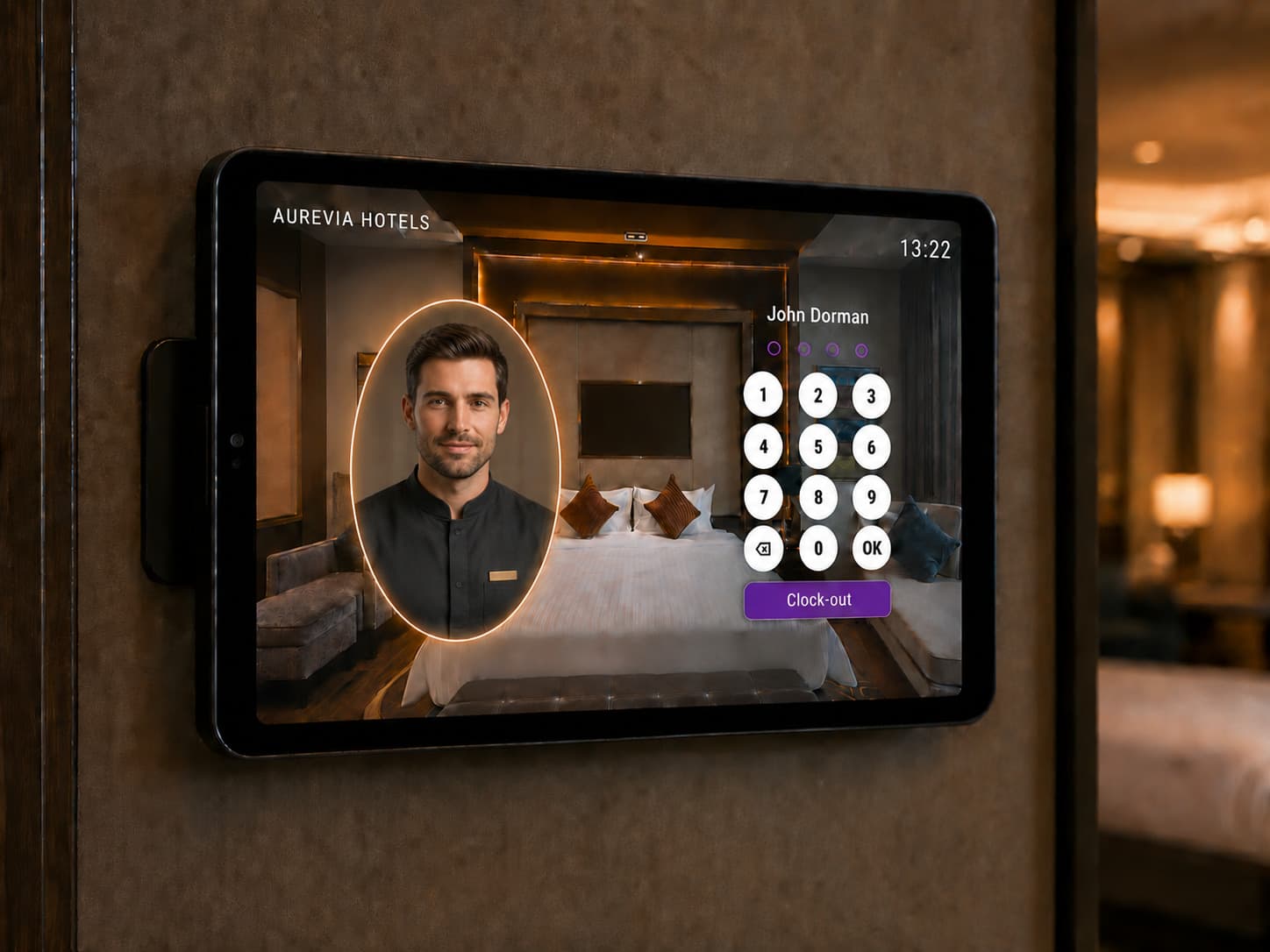
A wall-mounted ClockIQ tablet showing a staff member's photo beside the PIN pad, ready to clock out

Know exactly who's on shift.

See ClockIQ running on a live hotel dashboard and get it set up on your entrance tablet.

Sign up now Talk to sales

ClockIQ is part of the Quickrooms Staff App, built into the Work Management suite of the Quickrooms hotel operating system.