
Loading...
Partner Contracts
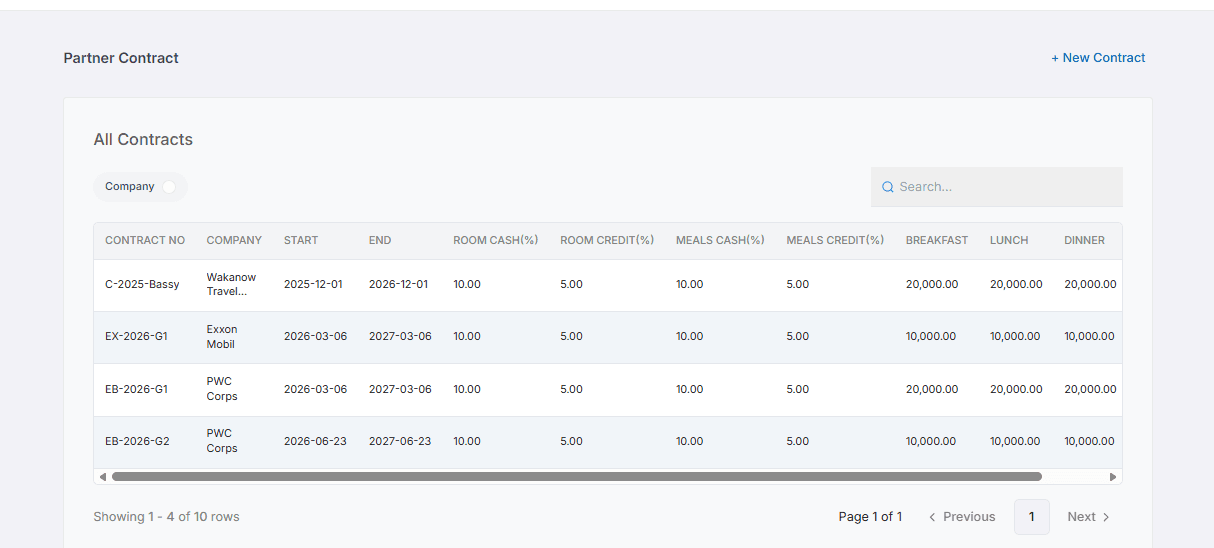
Build long-term relationships with companies, government agencies, NGOs, airlines and travel agencies that regularly book rooms or pay for meals at your hotel. Create negotiated agreements once, and Quickrooms automatically applies the agreed rates and tracks company spending.
What it does
Partner Contracts gives every organization its own account inside Quickrooms. From negotiated pricing to company billing, every part of the agreement is managed automatically throughout the guest journey.
01
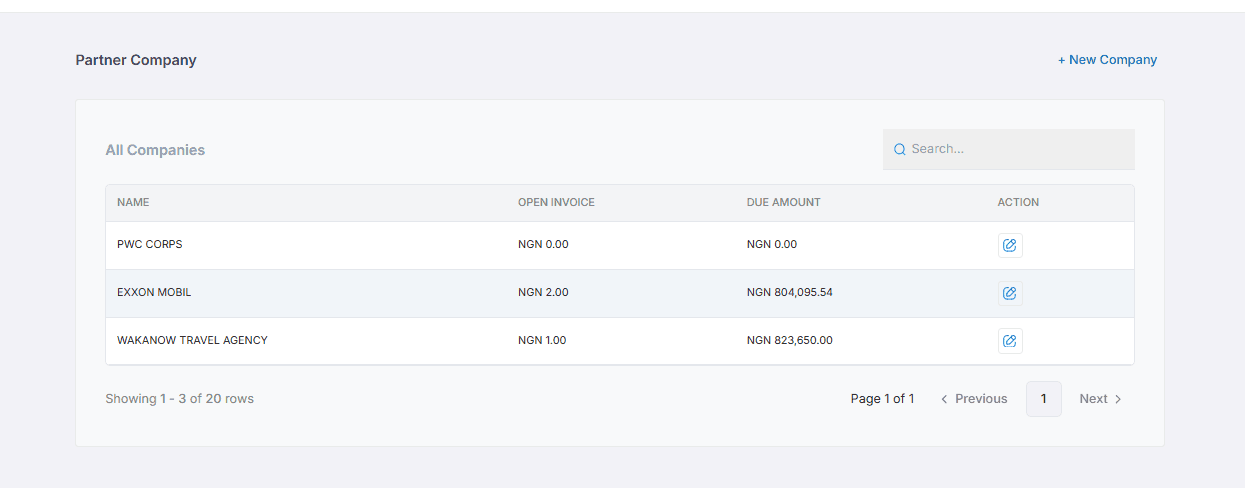
Every company has a dedicated profile containing its contact person, billing address, payment terms and contract information.
Your front desk, finance and management teams always have the latest agreement available without searching through emails or printed documents.
02
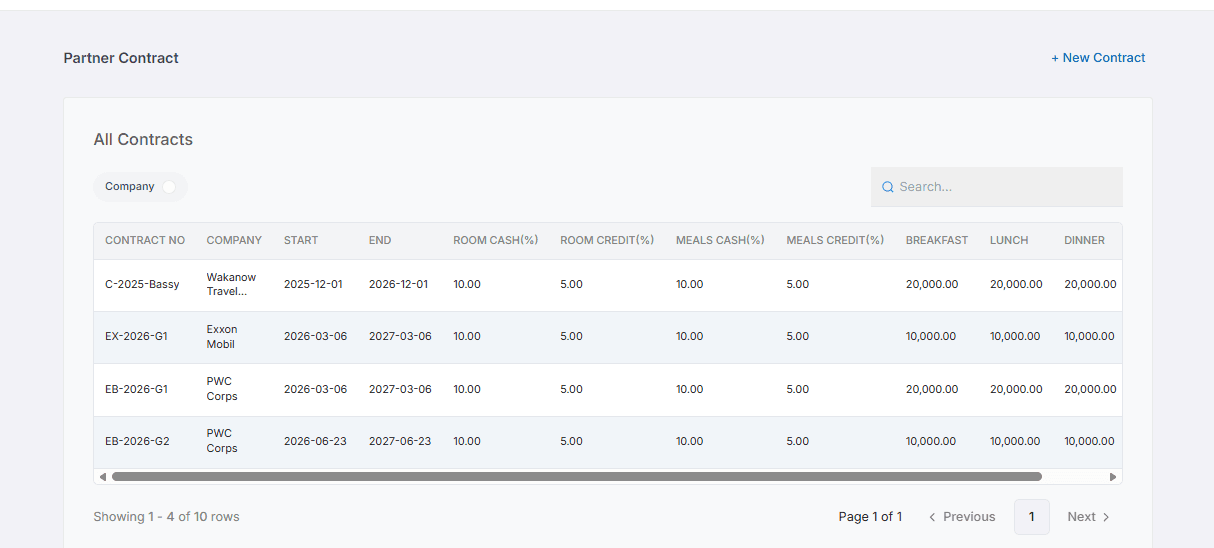
Agree on discounted room rates, dining rates or both. Once the contract is created, Quickrooms automatically applies the agreed pricing whenever an approved employee makes a booking.
Staff don't have to remember special rates or manually calculate discounts because every reservation follows the contract automatically.
03
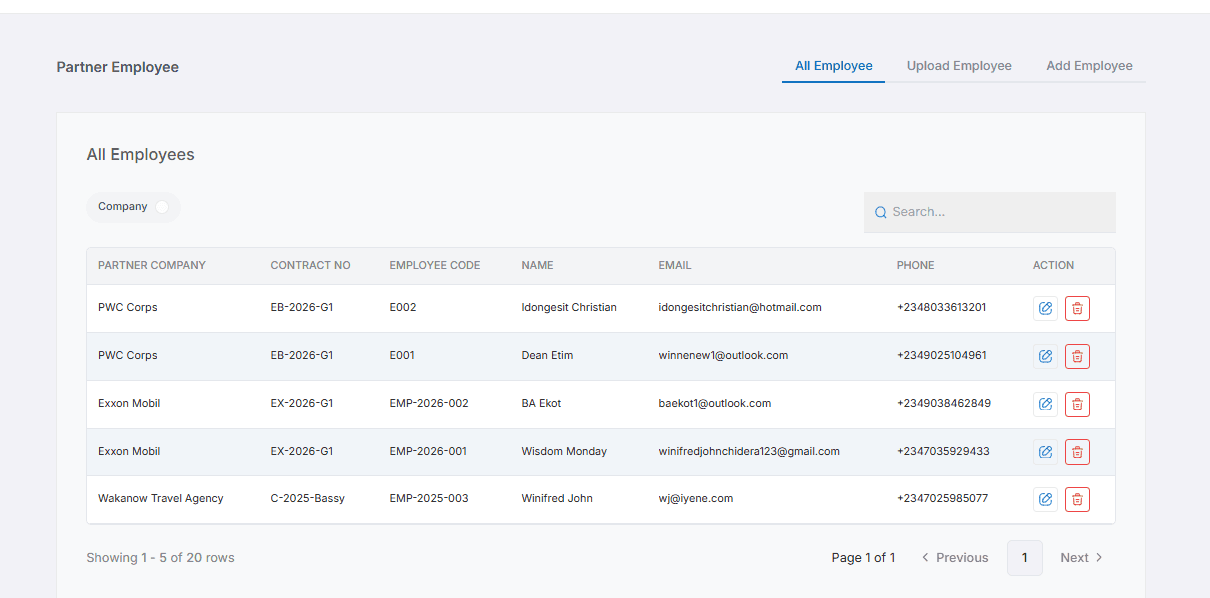
Choose exactly who can use the agreement. Add employees individually by name or email address and only approved employees receive the negotiated company rates.
When someone leaves the company or a new employee joins, updating the contract takes only a few seconds.
04
Every employee receives their own invoice for accommodation and meals. At the same time, the partner company has a complete dashboard showing every invoice generated under the contract.
Each invoice remains linked to the employee who incurred it — no hidden charges, missing invoices or manual reconciliation at the end of the month.
05
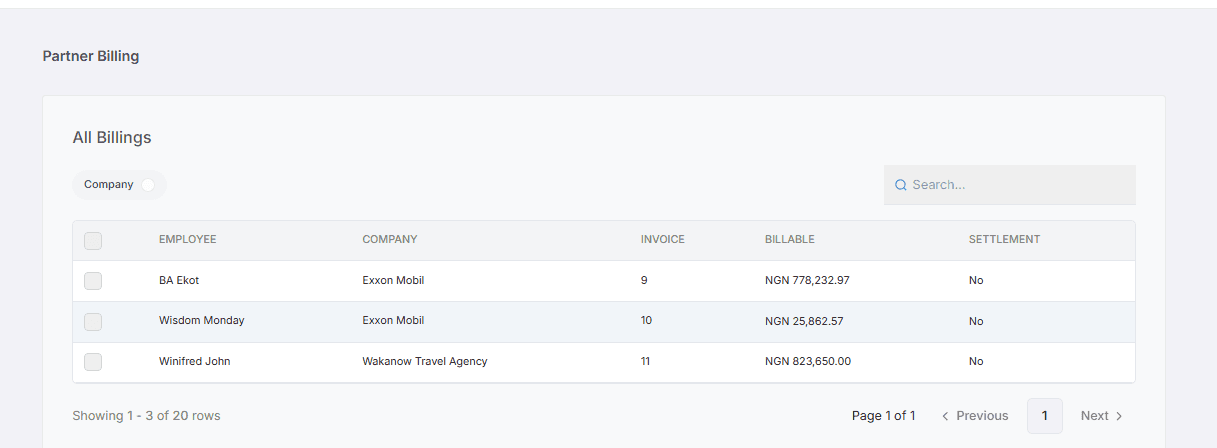
Monitor everything happening under each partnership from one dashboard. View company invoices, outstanding balances and total spending across rooms and dining.
Your sales and finance teams get a complete picture of every corporate account, right down to the credit ceiling agreed in the contract.
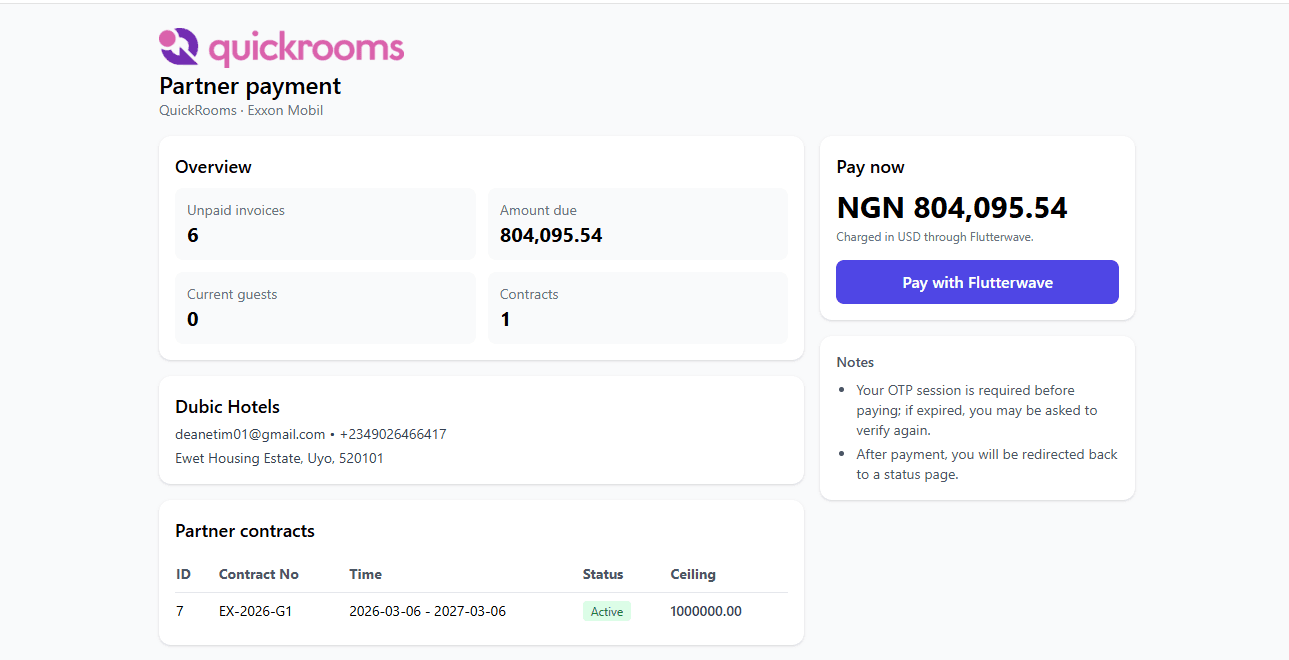
06
Quickrooms automatically sends daily summaries of all invoices created under the contract, so finance departments can monitor spending as it happens instead of waiting until month end.
07
Control how much credit each company can use. Quickrooms tracks the outstanding balance and prevents additional charges once the agreed limit is reached.
08
Choose exactly when an agreement starts and ends. Quickrooms automatically stops applying negotiated rates once the contract expires — no dates to remember.
Why hotels use Partner Contracts
Winning a corporate contract is only the beginning. Keeping that partnership depends on accuracy, transparency and consistency — Partner Contracts helps hotels deliver a professional experience that companies can trust.
01
Corporate guests return for meetings, projects, training and business travel throughout the year — Partner Contracts makes your hotel the preferred choice for repeat bookings.
02
Negotiated pricing, contract dates and credit limits are applied consistently across every booking, without depending on staff memory or manual calculations.
03
Both the hotel and the partner company maintain matching records of every transaction, so reconciliation is faster and billing disputes become far less common.
04
Everything is already organised under the company account, making payment follow-ups, reconciliations and account reviews significantly easier.
05
When a company reaches its agreed credit limit, Quickrooms prevents additional charges until payments reduce the balance — enforced by the system, not staff oversight.
06
From negotiated pricing to billing and reporting, every part of the partnership is already handled — so your team can focus on winning more business.
How it works
Add the organization's profile, billing information and payment terms.
Create a Partner CompanySet negotiated room rates, dining rates, contract dates and the company's credit limit.
Manage Partner ContractsRegister the employees who are allowed to book under the agreement. Only approved employees receive the negotiated company pricing.
Manage Partner EmployeesWhenever an approved employee makes a reservation, Quickrooms automatically recognises the contract and applies the agreed rates. There are no manual discounts for staff to remember.
Every employee receives an individual invoice while the company dashboard keeps a complete record of invoices. Daily summaries keep spending visible throughout the billing cycle.
View Partner BillingReview outstanding invoices, monitor company spending and manage payments from one connected dashboard.
Open Partner PaymentConnected to your hotel operations
Partner Contracts works alongside the rest of Quickrooms, allowing negotiated agreements to flow naturally through your daily operations.
Front Desk
Reservations automatically recognise approved employees and apply negotiated room rates without manual intervention.
Dining
Employee meal purchases automatically follow the agreed company pricing and are linked to the correct company account.
Finance
Monitor company balances, review invoices, receive payments and track outstanding amounts without maintaining separate spreadsheets.
Corporate customers expect consistent pricing, transparent billing and reliable service. Partner Contracts helps you deliver all three automatically.
FAQ
To manage corporate or group booking agreements, you must first create a partner company. Once the company profile has been created, you can assign a Partner Contract to it, define the agreed room and dining rates, add approved employees and manage the entire relationship from one place.
Create a Partner Company