
To link the Quickrooms TV app to the hotel Dashboard, follow these easy steps;
Turn ON the TV in the hotel rooms and ensure the Quickrooms TV app is installed
Once you open the app, you would see the Get Started page. This is where you do the one-time setup linking the TV with a particular room in the hotel
On the Tv screen you would see the device id
Now navigate to the hotel dashboard
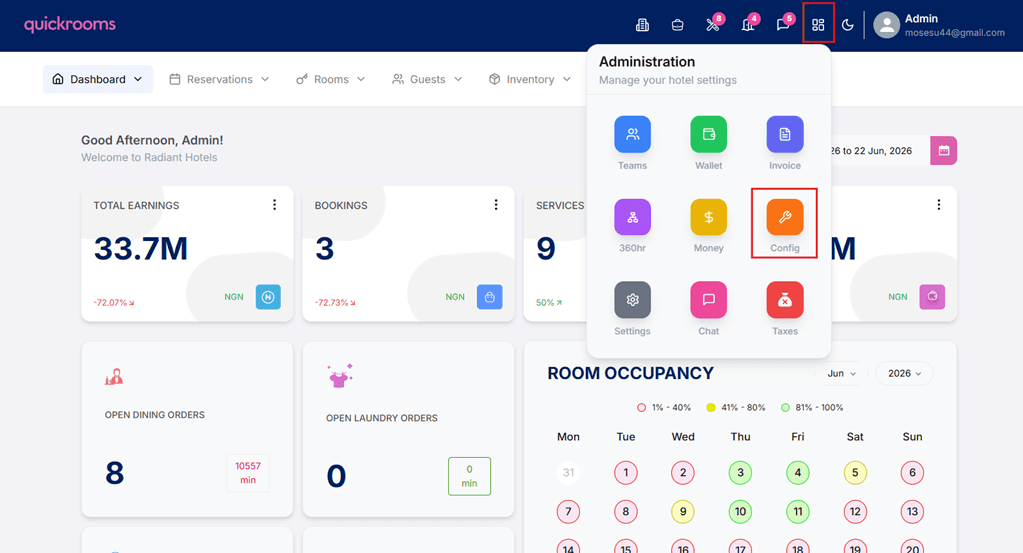
On the hotel dashboard, click on config and navigate to the Integrations tab
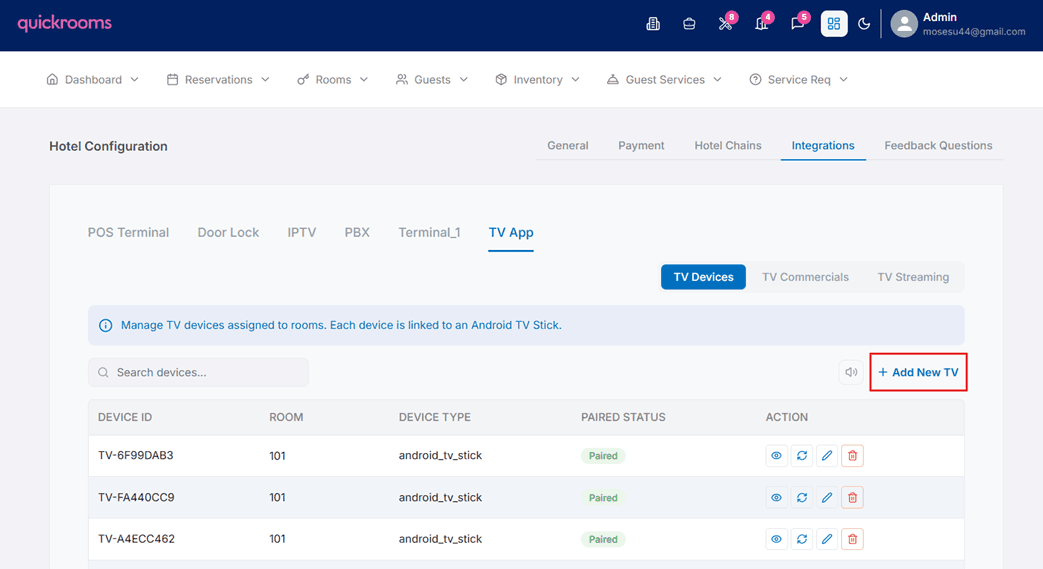
Click on TV app and select TV Devices
Click Add new TV
Input the device id as seen on the TV
Select the room which the TV is currently in and add the device type
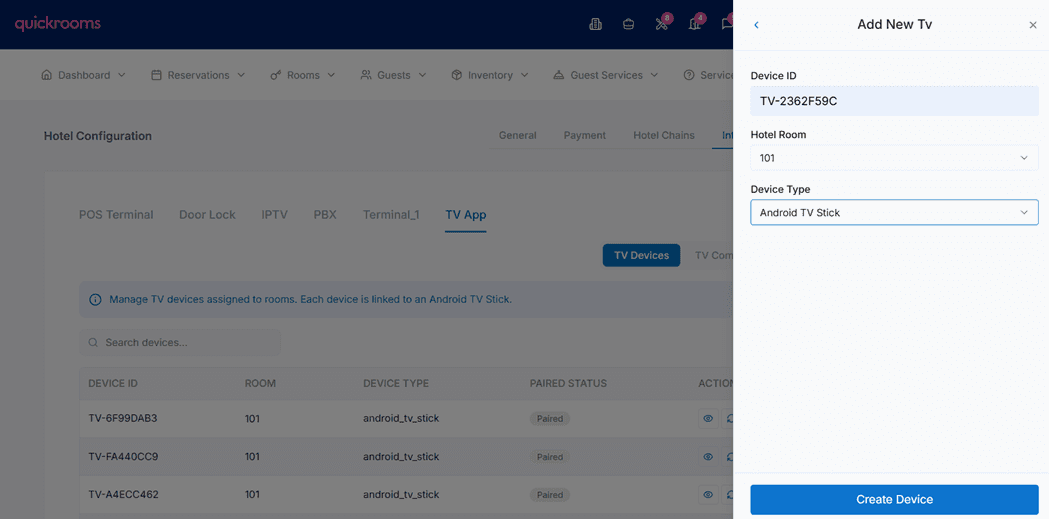
Once you select create device, the Tv automatically pairs to the room and is ready to be used.